
App Introduction
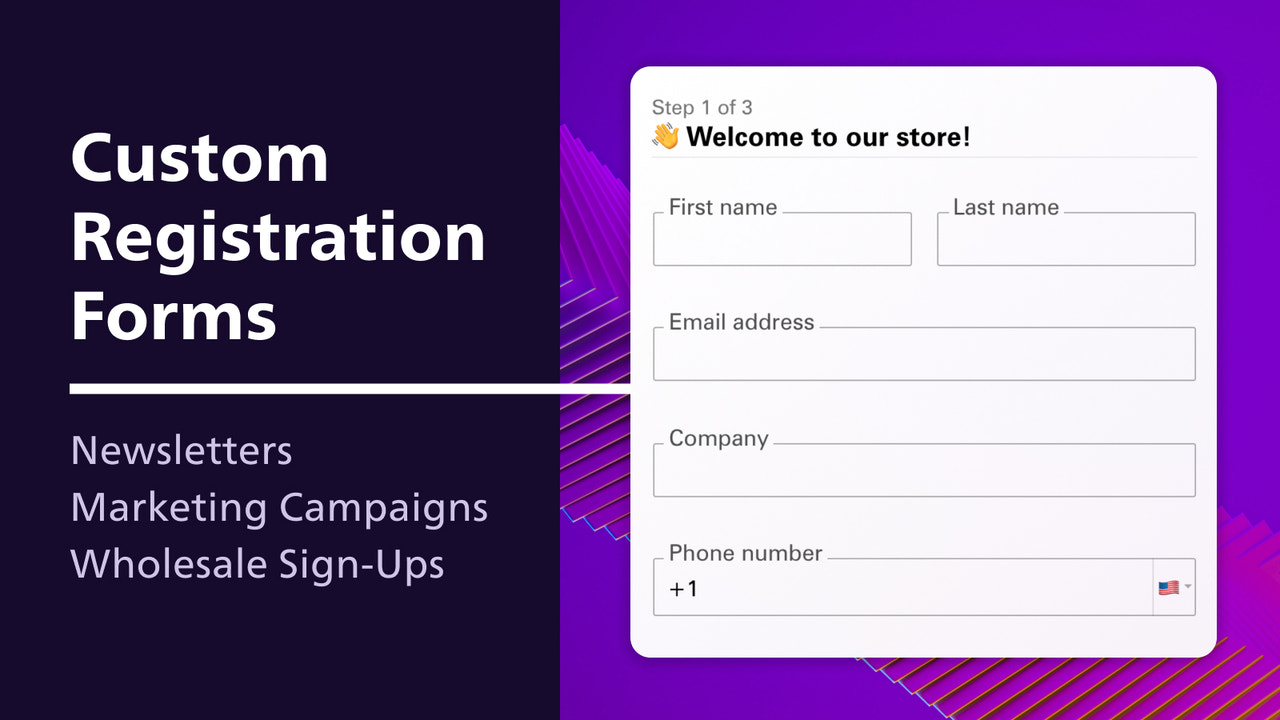
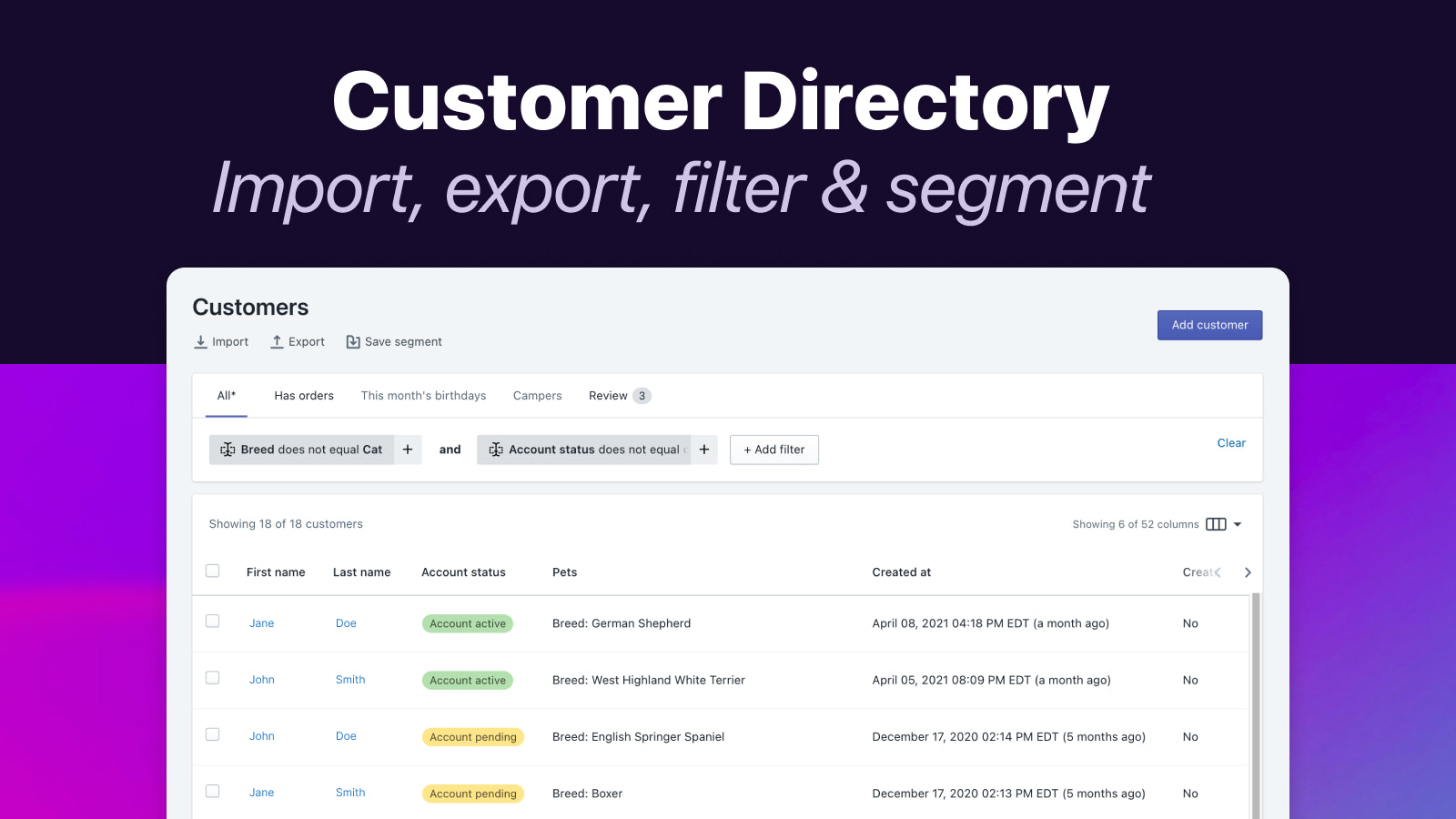
Create customer registration forms as unique as your business, and save custom data to customer accounts. Helium Customer Fields is a one-stop solution for collecting and managing customer information. Build unique registration forms for different customer segments and gather first-party customer data—such as birthdays, pet names, VAT/ tax IDs, and more. All customer data syncs with Shopify fields and/or customer metafields. Personalize forms using rules and variables, or auto-tag customers based on form inputs. Sync customer data with your business/marketing tools using our integrations.
Core Functionality
- Simple drag-and-drop form builder with field types for almost any use case
- Approve wholesale/B2B customers via account approval or email verification
- Let customers edit their own data (name, email, or custom fields)
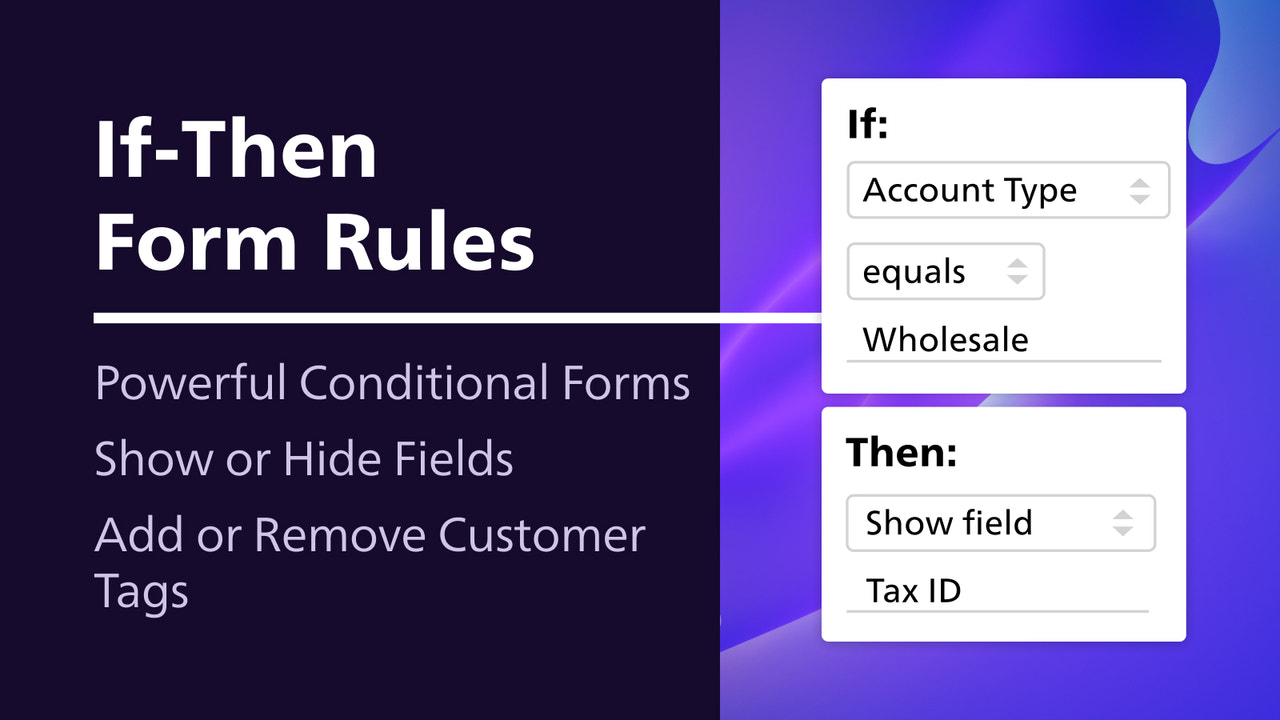
- Configure automatic and/or conditional customer tags to organize customer groups
- Developer-friendly! Frontend and backend APIs available for custom builds
Merchant-Friendly
- Independent Station Merchants
- B2B Wholesale Merchants
- Multi-category E-commerce
- Customized E-commerce
Basic Information
- Developer:Helium
- Address:6659 Kimball Drive, Ste. D402, Gig Harbor, WA, 98335, US
- Price: Free / Free plan
- Rating:4.8 / 5
- Comment Count:227 comment
- Release Date:2015-7-22
- Supported languages:English
- Compatible products:Shopify
Application Screenshot






Price Plan
Lite
- All Standard Shopify Fields
- Account Approval and Email Verification
- Edit Account Page
- Staff Email Notifications
- Sync 5000 Customers
- 2 Forms
Pro
- All 'Lite' features, plus:
- Custom fields (metafields)
- Automatic customer tagging
- Form logic/conditional rules
- App integrations
- Sync 10,000 customers
- 5 forms
Advanced
- All 'Pro' features, plus:
- Priority Support
- REST API Access
- Sync 50,000 Customers
- Unlimited Forms
Plus
- All 'Advanced' features, plus:
- Dedicated Account Manager
- Sync over 50,00 customers
- Plans start at $200
- View more pricing options for additional details
User Location & Comments
User Location
Comments
Shopify API Used
- POST /admin/api/forms.json
- PUT /admin/api/forms/{form_id}.json
- GET /admin/api/forms.json
Permission:write_forms,read_forms,manage_themes
- POST /admin/api/customers/{customer_id}/approve.json
- PUT /admin/api/customers/{customer_id}/status.json
- GET /admin/api/customers/approval_pending.json
Permission:write_customers,read_customers,manage_b2b
- PUT /admin/api/customers/{customer_id}.json
- POST /admin/api/customers/{customer_id}/update.json
- GET /admin/api/customers/{customer_id}.json
Permission:write_customers,read_customers,manage_accounts
- POST /admin/api/customer_tags.json
- PUT /admin/api/customer_tags/{tag_id}.json
- GET /admin/api/customers/{customer_id}/tags.json
Permission:write_customers,read_customers,manage_tags
- GET /admin/api/forms/{form_id}/frontend_config.json
- POST /admin/api/forms/{form_id}/custom_fields.json
- PUT /admin/api/forms/{form_id}/webhook.json
Permission:write_forms,read_forms,manage_webhooks



